AirPlay and Chromecast
Send a channel to the big screen. The app checks honestly whether the TV can play the stream before it tries.
 Casting from iptvolt
iPhone · iPad · Android
Add your M3U playlist or Xtream login. Get live TV with a real guide, movies, series and catch-up. No ads, ever.
iptvolt is coming to the App Store and Google Play.
Real app screens with a demo source. iptvolt ships no content.
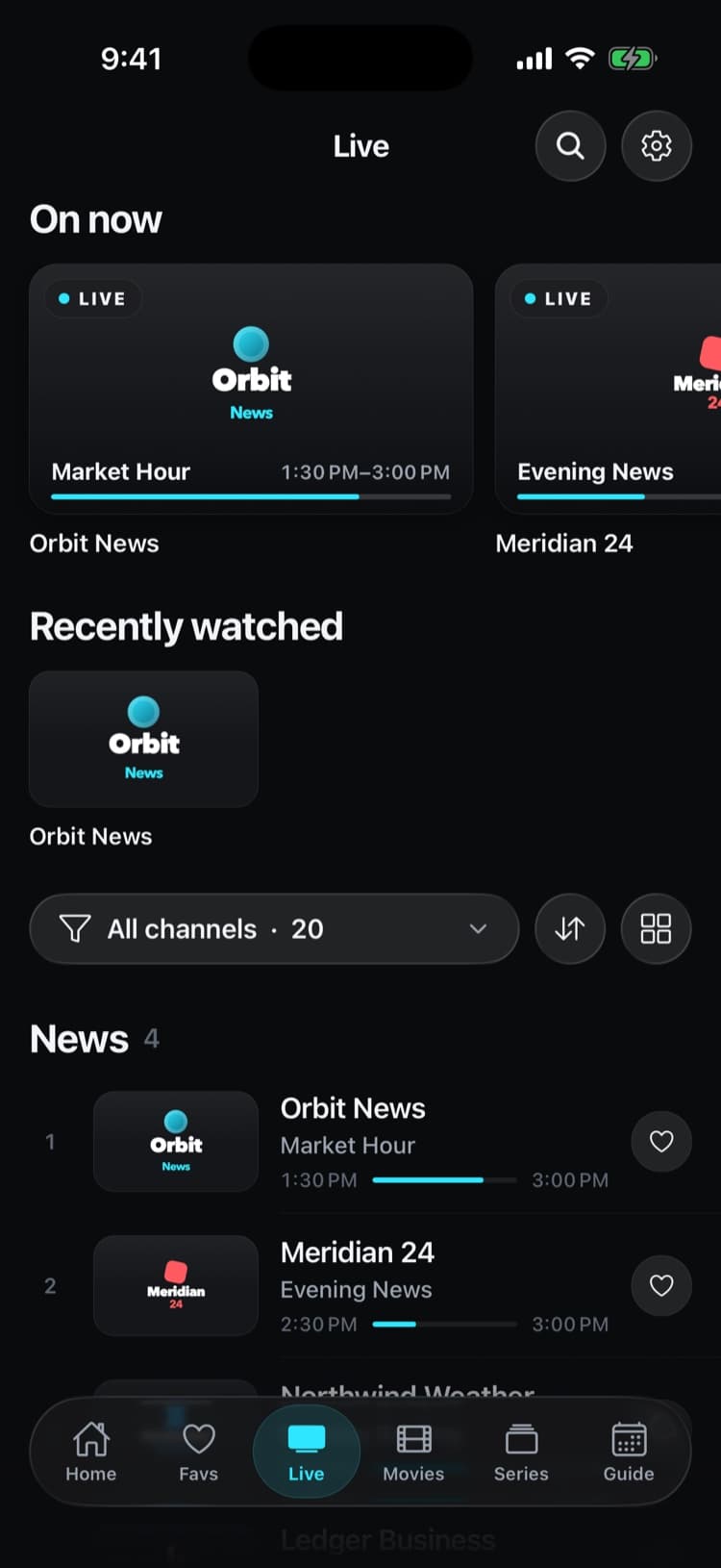
Real screens from iptvolt on iPhone, with a demo source.


Why iptvolt
Most IPTV players do the basics. These are the things we decided to do differently.
Pro covers up to 5 of your devices that share a sync code: iPhone, iPad and Android together. No buying it again per device or per platform.
Nothing to sign up for. Sync is end-to-end encrypted with a key from your code, so not even we can read your sources or logins.
Live TV, movies, series, catch-up, AirPlay, Chromecast and two-screen multi-view are free. No ads, not now, not later.
Two engines in one player. When the native player can't open a stream, the built-in VLC engine takes over by itself.
Up to four guide links merged per source, now and next on every row and a real timeline grid.
A player only: no channels for sale, no streams through our servers. Made by a named company in Austria, under EU privacy law.
Sign in with your Xtream server, user name and password, or paste an M3U or XSPF link with an optional EPG link. A pasted Xtream playlist link fills in the login for you.
Channels land in their categories with logos and now and next. Movies and series get posters, plots and seasons.
Tap a channel. Swipe to zap, go back in time with catch-up, or send it to the TV with AirPlay or Chromecast.
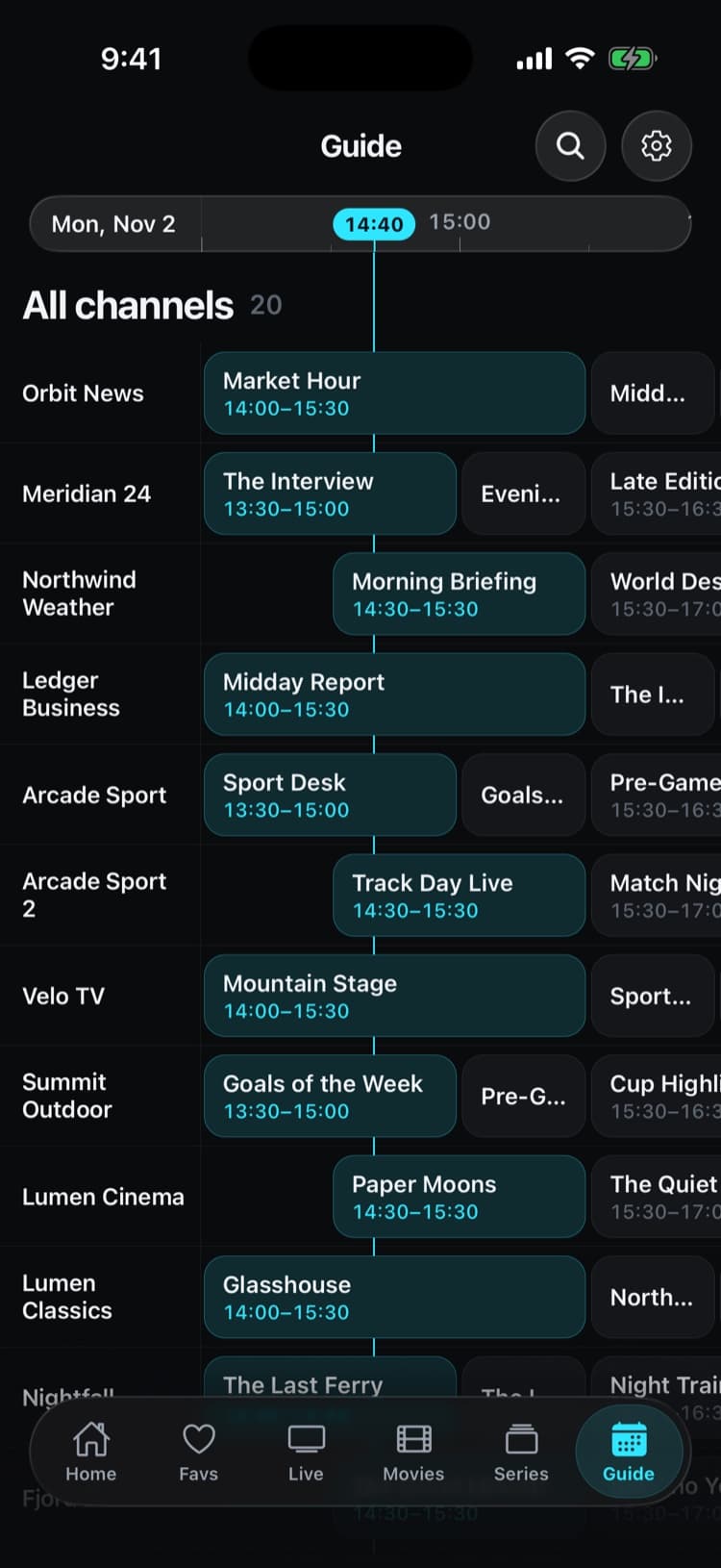
Now and next on every channel, a timeline grid you can scroll through the day, and up to four guide links merged per source.
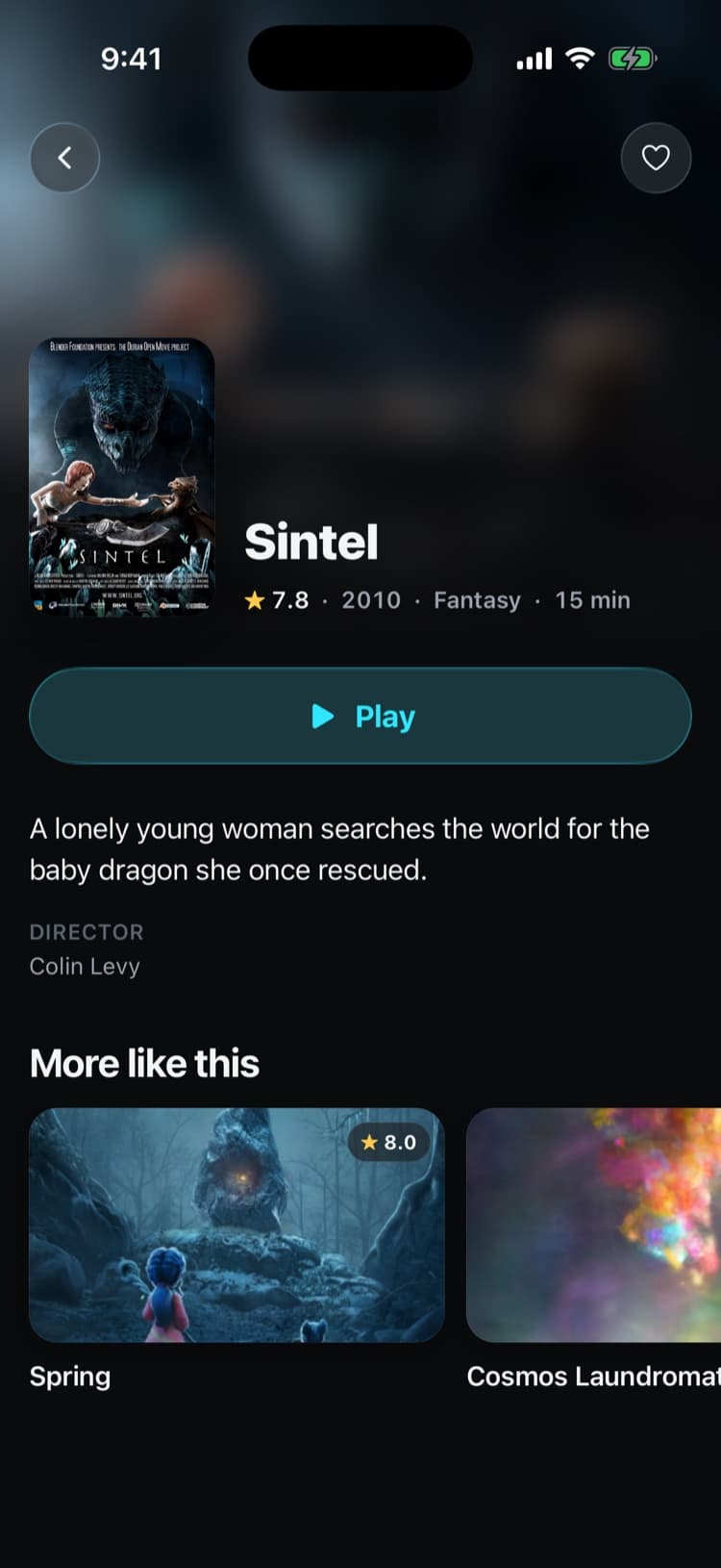
Posters, ratings, plots, cast, seasons and episodes from your own library. Continue watching picks up exactly where you stopped, on every device you sync.
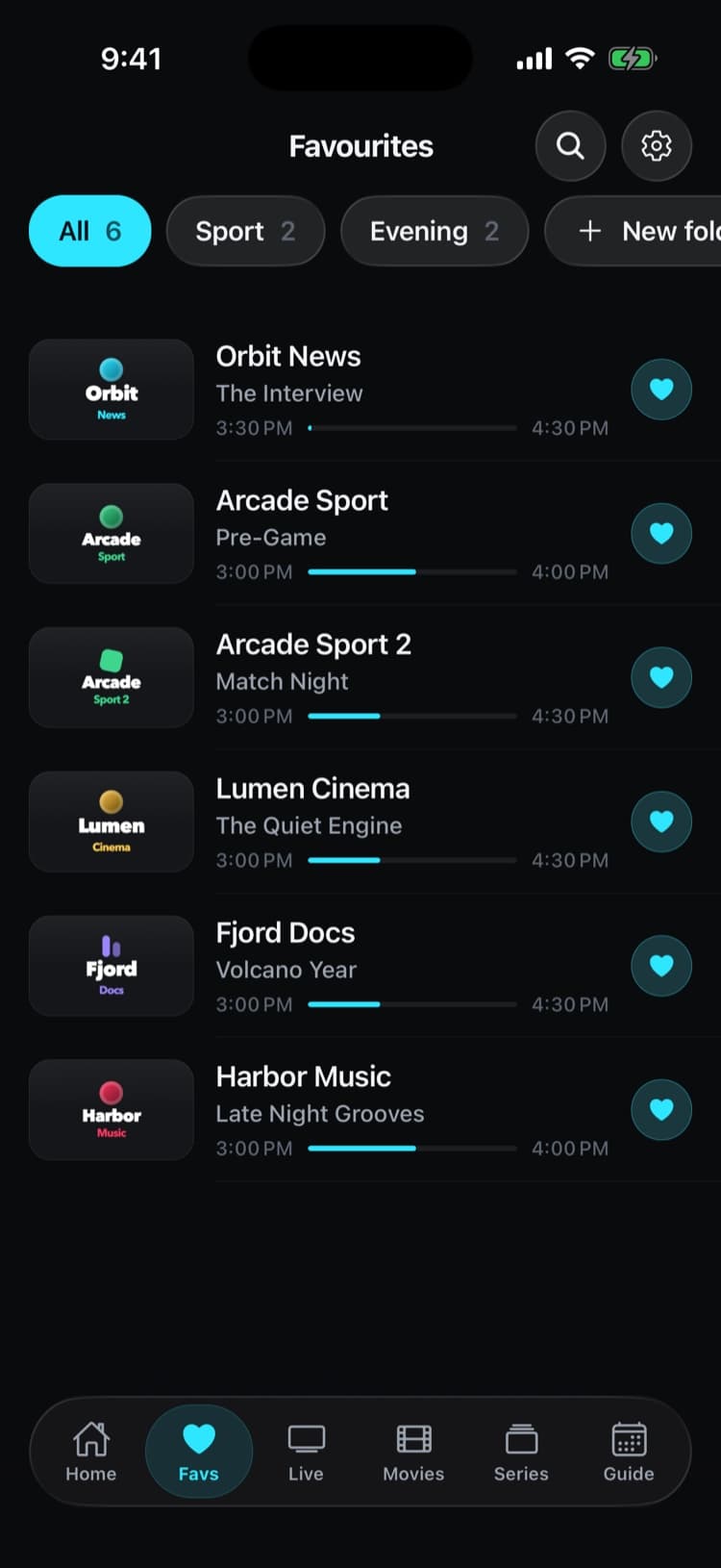
Star a channel once and it's there on every synced device. Group favourites into your own folders, hide the channels you never watch, and find anything with one search across channels, movies and series.
Sport
No searching through hundreds of channels. iptvolt knows what's on today and finds it in your own list.
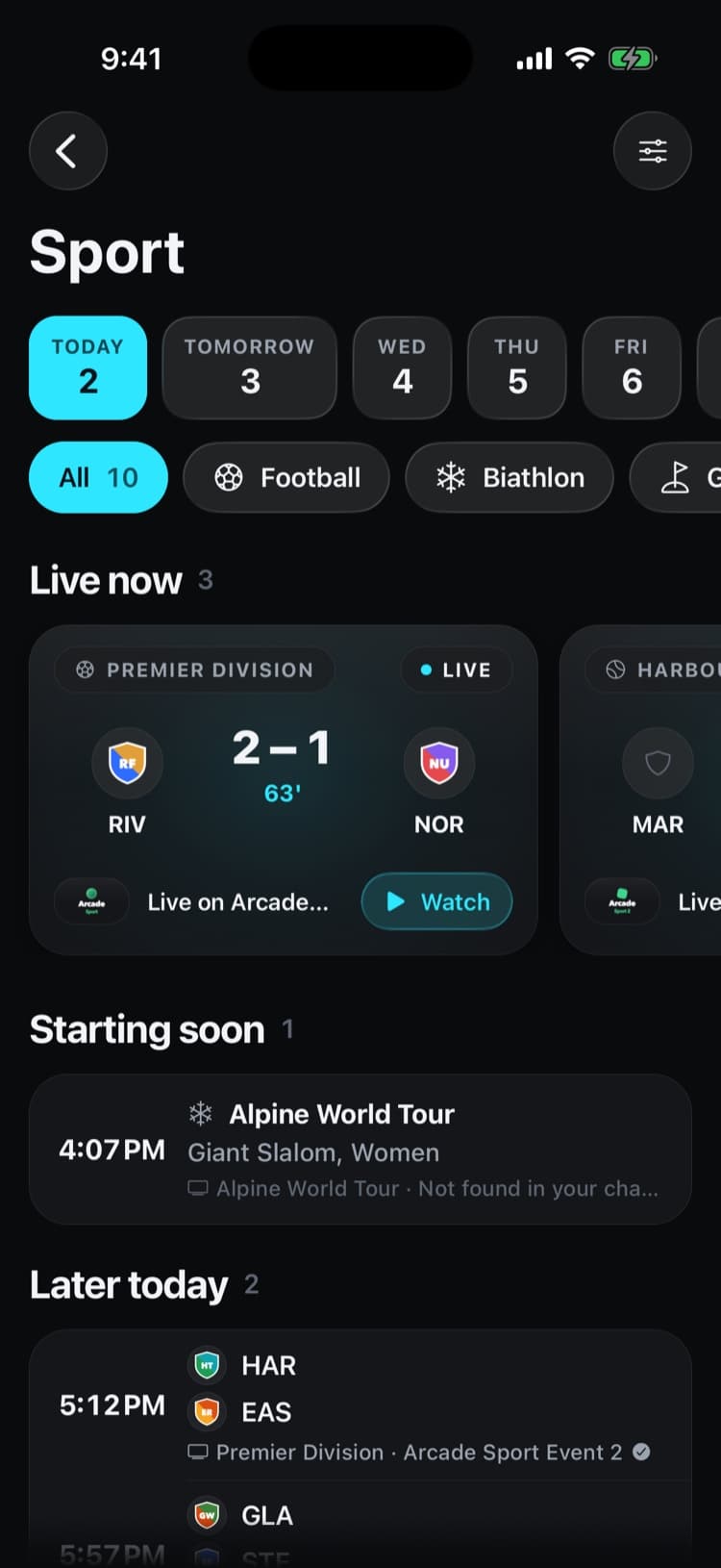
Each game shows which of your channels carries it, from event channels or the guide. Tap and it plays.
What's live, what starts soon and the rest of the day. Live scores come with Pro.
Plan the next seven days with the day strip. Today is free; the full week is Pro.
Follow your teams and set a reminder before kick-off. Three teams free; more teams and automatic reminders with Pro.
Pick your country and the competitions you care about, hide the ones you don't.
Today's biggest games sit right on the Home screen, next to continue watching.
Schedules come from public sports data. iptvolt shows where a game is on in your own list; it never provides the broadcast.
Send a channel to the big screen. The app checks honestly whether the TV can play the stream before it tries.
Casting from iptvoltMissed the start? Restart the current programme or open the archive, for Xtream and M3U sources that offer it.
Two channels side by side for free, four with Pro.
One code links your devices: sources, favourites, settings and continue watching, end-to-end encrypted.
Now and next on every channel, favourites, search and pull to refresh. Pro adds the full timeline grid.
Lock live, movie and series categories behind a PIN. Locked posters stay hidden.
Keep the match in a corner while you use other apps (Pro), and let the sleep timer stop playback for you.
The parts you don't see decide whether a player feels fast and never lets you down.
The native player first, the built-in VLC engine when a stream needs it. The switch happens on its own.
A watchdog notices a stalled stream and reconnects with back-off, so a hiccup doesn't end your match.
Opens straight from its cache and refreshes in the background. Tested with a source of more than 40,000 channels, movies and series.
Stable ids keep your favourites, folders and resume points when your provider reorders its lists.
Sync is end-to-end encrypted (AES-256-GCM) with a key from your code. Logins stay in the iOS Keychain and Android Keystore.
More than 1,600 automated tests cover the core, from the playlist parser to sync.
Coming from another player? Your channels come with you, they live with your provider. Set iptvolt up once and your sync code brings the same setup to every iPhone, iPad and Android you own.
TV apps are planned. Until then, cast to your TV with AirPlay or Chromecast.
No ads, ever. Pro removes limits; it never adds channels or content.
€0
Free for as long as you use it
€17.99 a year
7 days free. Or €2.99 a month, or €34.99 once.
No. iptvolt is a player only. It ships no channels, playlists or content and is not affiliated with any provider. You add your own M3U playlist or Xtream Codes login from a service you are allowed to use.
M3U and M3U8 playlists, XSPF playlists and Xtream Codes logins, with XMLTV guide data. Streams play in the native player or, for formats like MKV, AVI or raw TS, in the built-in VLC engine.
Yes. The free version keeps one source, live TV, movies, series, the now and next guide, catch-up, AirPlay, Chromecast and two-screen multi-view, with no ads. Pro adds unlimited sources, the full guide grid, sync on up to 5 of your devices, Picture-in-Picture, four-screen multi-view and favourite folders.
No. iptvolt works without signing up. If you want your devices in sync, you create a sync code in the app and enter it on your other devices. Everything synced is end-to-end encrypted with a key derived from that code.
Not yet. iptvolt is for iPhone, iPad and Android. Most IPTV streams are plain http without the headers a browser needs, so a web player would only work for a few sources without routing streams through a server, which we don't do.
Yes. Use AirPlay from iPhone and iPad, or Chromecast from iPhone, iPad and Android. Before casting, the app checks whether the TV can play that stream and tells you if it can't.
iptvolt is coming to the App Store and Google Play.